Install Audiophile.fm on Your Android, iOS and Desktop Device
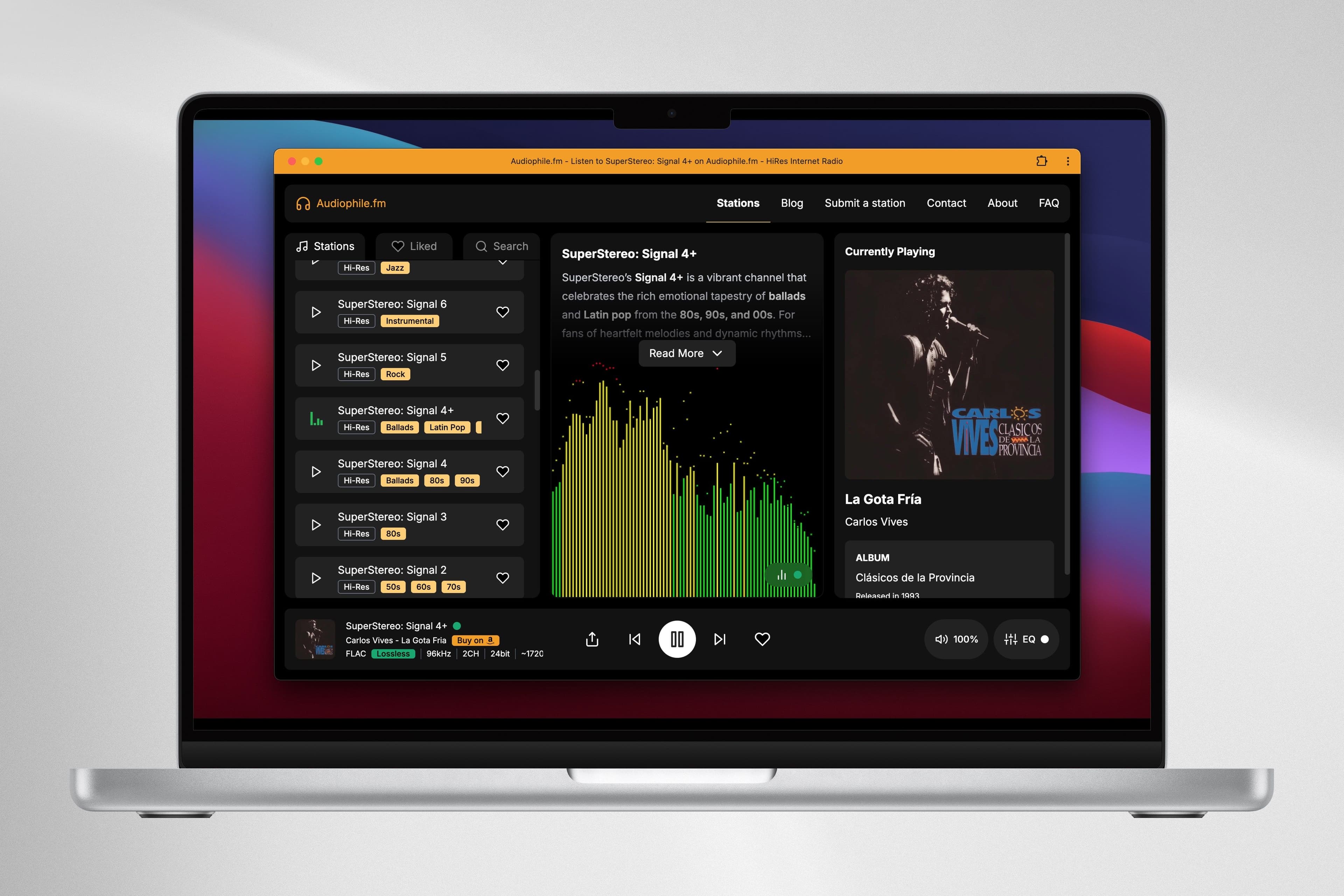
We’re thrilled to announce a brand-new way to enjoy Audiophile.fm: you can now install it on your phone, tablet, or desktop and enjoy it directly from your screen. This has been one of our most requested features, and we’ve worked hard to deliver it in the best way possible.
Why We Made This Feature
Our community told us loud and clear: you wanted a dedicated, app-like experience that you could launch in one tap. We listened and made it happen! Now you can install Audiophile.fm from your browser right to your home screen or desktop without needing to download anything extra from an app store. Plus, there are no app updates to worry about—everything happens automatically in the background. We’re making it simpler, faster, and more convenient than ever to jump into high-fidelity listening.
Below, you’ll find quick instructions for installing Audiophile.fm on desktop, iOS, and Android.
How to Install Audiophile.fm?
1. Desktop (Chrome on Windows, Mac, Linux, or ChromeOS)
- Open Audiophile.fm website
Navigate to https://audiophile.fm in the Chrome browser. - Look for the “Install” or “+” Icon
In Chrome, you’ll typically see an install icon in the address bar (looks like a small computer with a down arrow or a plus sign). If you don’t see it immediately, open Chrome’s main menu (the three dots in the upper right). - Click “Install Audiophile.fm”
Chrome will prompt you to confirm. Once you confirm, it will install Audiophile.fm as a standalone app on your system. - Launch from Your Desktop or App Menu
After installation, you’ll find the Audiophile.fm icon either on your desktop, Start menu, or Launchpad—depending on your operating system.
That’s it! Now, you have a dedicated Audiophile.fm icon, and it will open in a new window without the typical browser tabs.
2. iOS (iPhone, iPad)
For iOS devices (Safari), you need to do the following:
- Open Safari and Visit Audiophile.fm website
(Note: This has to be Safari specifically, not Chrome or Firefox on iOS.) - Tap the “Share” Icon
It’s the square icon with an up arrow at the bottom (or top-right on iPad). - Select “Add to Home Screen”
Scroll in the Share Sheet until you see “Add to Home Screen.” Tap it. - Tap “Add”
Safari will place an icon on your home screen and that's it. - Audiophile.fm as an app from your home screen
Your iPhone adds an app icon to your home screen. Tap the icon, and Audiophile.fm opens as a standalone app!
3. Android (Chrome)
Chrome on Android makes installing PWAs a breeze:
- Open Audiophile.fm in Chrome
Go to https://audiophile.fm. - Look for the Install Prompt
A banner might appear at the bottom of the screen prompting you to “Add Audiophile.fm to Home Screen.” If it doesn’t appear automatically, tap Chrome’s menu (the three dots in the top-right). - Select “Install app” or “Add to Home Screen”
Chrome will confirm that you want to install. Tap “Install.” - Launch It From Your Home Screen
Your phone adds an app icon to your home screen. Tap the icon, and Audiophile.fm opens as a standalone app!
Why Install the Audiophile.fm?
Convenient Access: Launch Audiophile.fm directly from your home screen or desktop—no more typing in URLs or searching bookmarks.
Immersive Interface: Enjoy a minimal, app-like experience without the browser’s address bar and tabs.
Seamless Updates: We’ll keep improving Audiophile.fm, and you’ll get updates automatically—no app store needed!
Get Started Today
Whether you’re an iOS user, Android lover, or desktop enthusiast, installing the Audiophile.fm app is quick and easy. Give it a try, and get back to what matters most—listening to high-fidelity radio streams from all over the world.
Thank you for being part of the Audiophile.fm community. We’re always working to elevate your listening experience, and we can’t wait to hear your feedback on our new app support!
Make sure to follow us on: Facebook, Reddit, Pinterest and Telegram.